GAME OVERVIEW
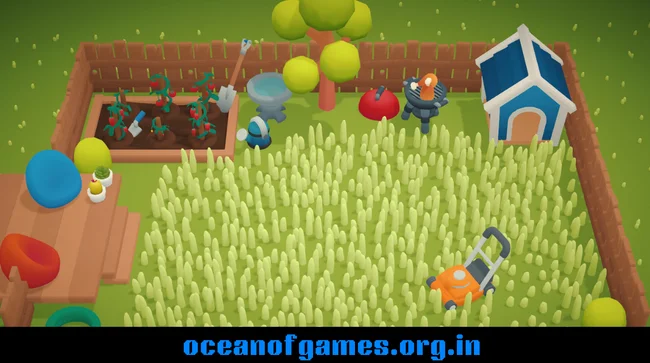
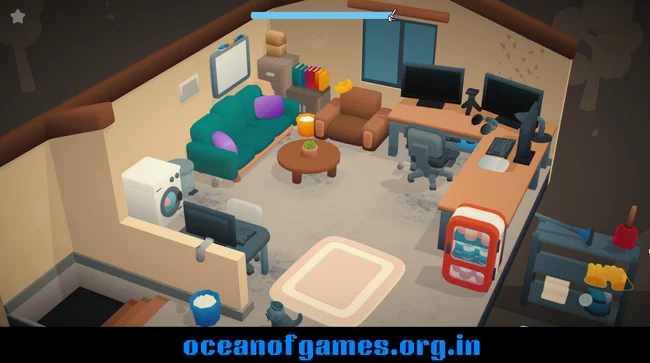
Cozy Cleaner is a laid-back cleaning game where you turn messy rooms into tidy, welcoming spaces. There’s no rush here—just soothing, satisfying tasks as you move through different rooms packed with everyday clutter. You’re not racing against a clock or fighting for a high score. Cozy Cleaner wants you to take your time and really enjoy bringing order and warmth to each spot.
Every level throws you into a new room in need of some TLC. You poke around, pick up scattered stuff, and put everything back where it belongs.
Sometimes you find new items tucked away in boxes—little surprises that help you fill out and personalize the room. Each small job, whether it’s stacking books or sweeping up crumbs, chips away at the chaos, and you can actually see the space start to feel more inviting. Sineus Arena Survivors

Before each level starts, a delivery truck drops off a box of new stuff. You get to unpack and arrange these pieces, filling the space with decorations or little touches that complete the look. The way you place things really matters—it’s how you make each room yours and hit all the goals for the level.
You don’t have to worry about timers, leaderboards, or high scores. Cozy Cleaner skips the usual competition so you can focus on the mellow, rewarding rhythm of cleaning. You’re free to work at your own pace, savoring the quiet transformation of each room.
Once a room is spotless and organized, the next area opens up, giving you a fresh challenge with new surprises to uncover. Progress is simple and feels good—clean up, move on, repeat. Each stage leaves you with a real sense of accomplishment.
If you love organizing, decorating, or just making a space beautiful, Cozy Cleaner hits all the right notes. It’s a calm, stress-free escape that celebrates every little victory, and lets you enjoy some peaceful downtime, one sparkling room at a time.
HOW TO DOWNLOAD
- Click the Download button below and you’ll be redirected.
- Wait for 5 seconds and then hit the blue ‘download now’ button. The download will start, so just hang tight.
- Once The Cozy Cleaner is downloaded, right-click the .zip file and select “Extract to Cozy Cleaner ”(You’ll need 7-Zip for this, get it here).
- Open the Cozy Cleaner folder and run the exe application.
- Have a blast playing! Remember to run the game as administrator. If you get any missing dll errors, check for a Redist or _CommonRedist folder and install all the programs in there.
SYSTEM REQUIREMENTS
- Requires a 64-bit processor and operating system
- OS: Windows 10 / 64-bit
- Processor: Intel Core i5-5200U or higher/equivalent
- Memory: 4 GB RAM
- Graphics: 2GB VRam or higher
- Storage: 1 GB available space
- Additional Notes: 64 Bit Only
COZY CLEANER FREE DOWNLOAD
Click the download button to get this game free on your PC. This is the full game, so make sure to run it as an administrator.
Screenshots