GAME OVERVIEW
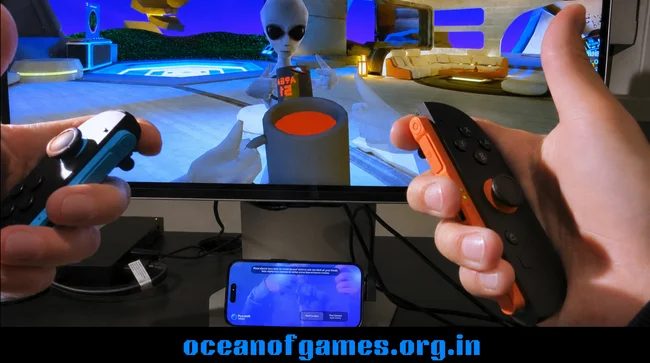
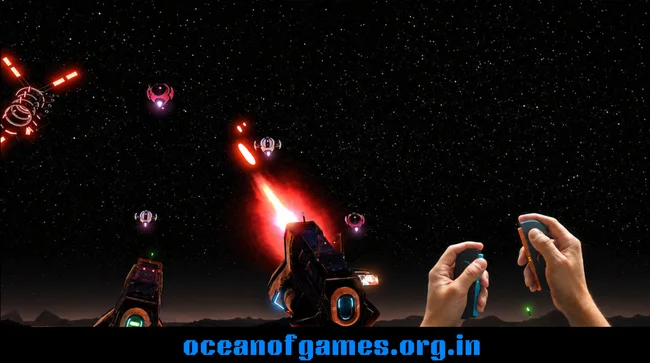
PortalVR Motion changes the game for SteamVR fans by letting you play thousands of VR titles with Wii-style motion controls—no headset needed. Instead of splurging on pricey tracking gear, you can grab your smartphone, some Joy-Cons, or even your usual VR controllers and jump right in, using nothing but your regular monitor.
And hey, if you don’t have any motion controllers at all, you’re not left out. PortalVR Motion has a clever mouse-and-keyboard setup that mimics virtual hands, so you can explore SteamVR apps right from your desktop. As long as you’ve got a capable PC, you’re good to go. There Is No Lore
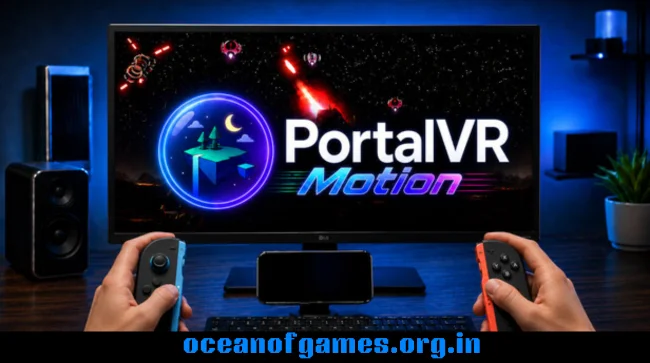
There’s more. The software supports modern 3D and AR displays, so if you’ve got XREAL or VITURE AR glasses, or a Samsung Odyssey 3D monitor, you’ll get real stereoscopic depth. AR glasses can even handle head tracking, letting you look around and move naturally, all without a VR headset.
One feature you’ll probably love is Camera Drag. Hold a button, and your controller moves the game’s camera, just like spinning a virtual trackball. It makes rotating your view, grabbing objects, or framing up shots feel way more intuitive than using a mouse or gamepad.
PortalVR Motion works with over 6,000 SteamVR titles—think action games, rhythm games, creative tools, social hangouts, and a mountain of indie projects. Tracking data goes straight over USB, not Wi-Fi, which keeps things snappy and smooth for both games and creative work. There’s even an option for webcam-based head tracking, so you can lean, dodge, or peek around just by moving your head.
Whether you’re gaming, streaming, teaching, or designing, PortalVR Motion is a flexible, affordable way to turn your phone, Joy-Cons, VR controllers, or good old mouse and keyboard into motion controls. It’s a simple path into the world of SteamVR—right on the screen you already use every day.
HOW TO DOWNLOAD
- Click the Download button below and you’ll be redirected.
- Wait for 5 seconds and then hit the blue ‘download now’ button. The download will start, so just hang tight.
- Once The PortalVR Motion is downloaded, right-click the .zip file and select “Extract to PortalVR Motion ”(You’ll need 7-Zip for this, get it here).
- Open the PortalVR Motion folder and run the exe application.
- Have a blast playing! Remember to run the game as administrator. If you get any missing dll errors, check for a Redist or _CommonRedist folder and install all the programs in there.
SYSTEM REQUIREMENTS
- Requires a 64-bit processor and operating system
- VR Support: Meta Quest 1, 2, 3, PICO 4 Ultra, Valve Index, HTC Vive Wands, Nintendo Joy-Con 1 and 2
- Additional Notes: Joy-Con tracking (optional) requires either an iPhone 12 or newer, and VR controller tracking (also optional) a Meta Quest or PICO 4 Ultra VR headset, or Valve Index or HTC Vive Wands
PORTALVR MOTION FREE DOWNLOAD
Click the download button to get this game free on your PC. This is the full game, so make sure to run it as an administrator.
Screenshots